Couch, Bed, and Floor Gaming: How to Play Without Hurting Your Back 🎮
Quick Answer: Gaming on a couch, in bed, or on the floor works for short sessions if your back is supported, your knees are bent, and your screen is raised toward eye level. A Cleveland Clinic chiropractor advises a supportive chair over a couch that is comfortable but gives no real support, so treat couch play as the casual option. Whatever the surface, change position each time you take a break, and get up and move a few times an hour.
No-desk gaming is playing on a couch, bed, or floor without a desk or chair to hold your posture, so you have to build the support yourself with cushions, pillows, and screen height.
Last updated November 2026. Covers console, laptop, and handheld play.
TL;DR
- No-desk gaming has nothing to hold your posture, so you have to add the support. 🎮
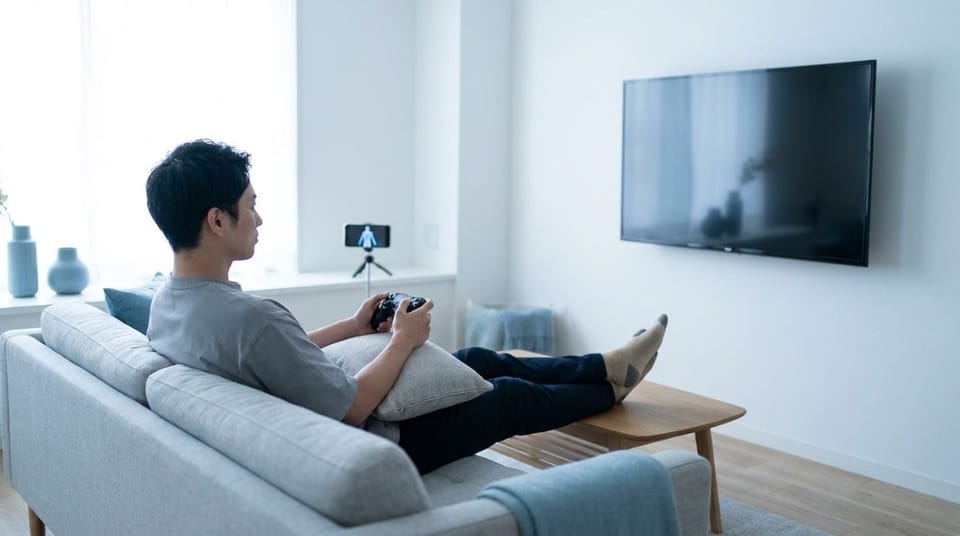
- On a couch, sit well back so it supports your trunk, with your knees slightly bent.
- In bed, support your back and neck with pillows and raise the screen so your head stays level.
- On the floor, sit on a cushion so your hips sit higher than your knees, and switch positions often.
- Raise the screen toward eye level in every position.
- Change posture after each break, and get up and move a few times an hour.
Why Is Couch, Bed, and Floor Gaming Hard on Your Body?
Soft surfaces let your spine slump, and nothing forces you to stay upright. Your lower back loses support, your head drops to see a low screen, and you stay put because it feels comfortable.
The pillar gaming posture guide covers a desk setup. This article goes deeper on no-desk gaming. Cleveland Clinic specialists advise assessing each platform separately, because each one loads your body differently.
| Position | Main Risk | Best Fix |
|---|---|---|
| Couch | Lower back slumps, legs dangle | Sit back, cushion behind your lower back, feet on a footrest |
| Bed | Head bent down, no back support | Pillows behind your back and neck, device raised on a pillow |
| Floor | Rounded back, tight hips | Sit on a cushion, switch positions, lean on a support |
The cushion and floor-support fixes are general guidance. The couch and bed fixes come from physical therapists quoted by Consumer Reports.
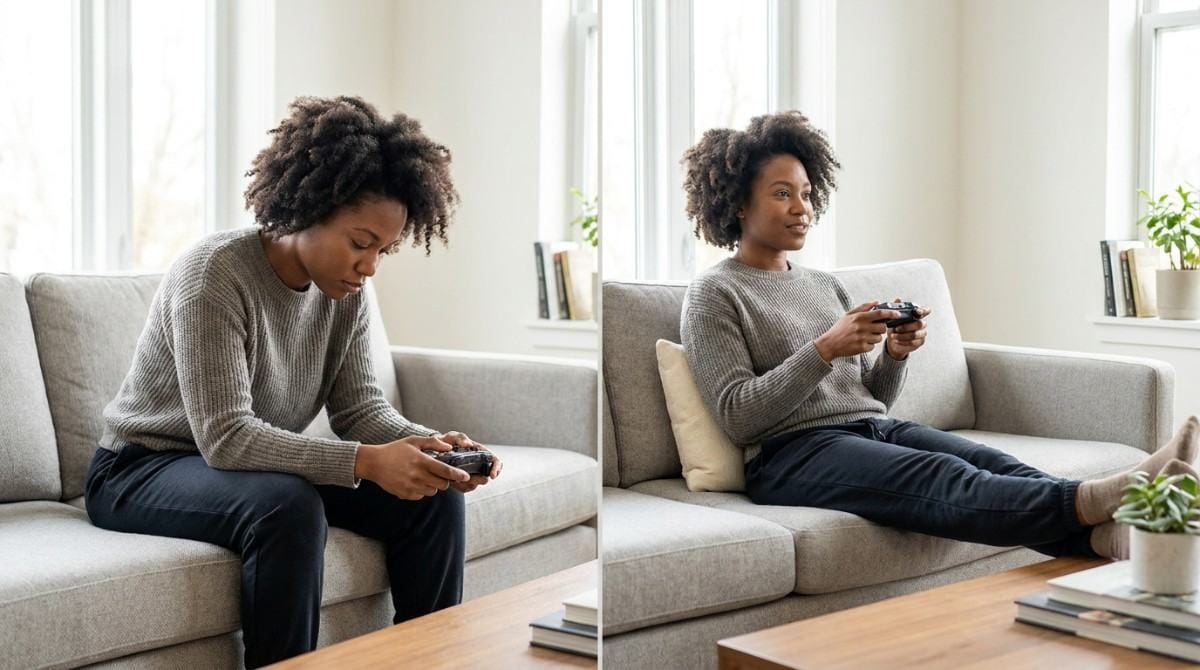
How Do You Sit on a Couch for Gaming?
Push yourself back into the couch so it supports your trunk, according to physical therapist Kevin Weaver of New York University, quoted by Consumer Reports. Then follow these steps:
- Sit all the way back, not perched on the edge.
- Rest your legs on a footrest or coffee table, with your knees slightly bent.
- Put the screen straight ahead, so you do not rotate your neck or back to see it.
- Add a small cushion behind your lower back (general guidance).
- Change positions after every break.
💡 Key Insight: A couch is comfortable, but comfort is not support. Cleveland Clinic chiropractor Drew Schwartz advises a more supportive chair rather than a couch that gives no real support. Do gaming chairs actually help your posture explains what to look for.
Is It Bad to Game in Bed?
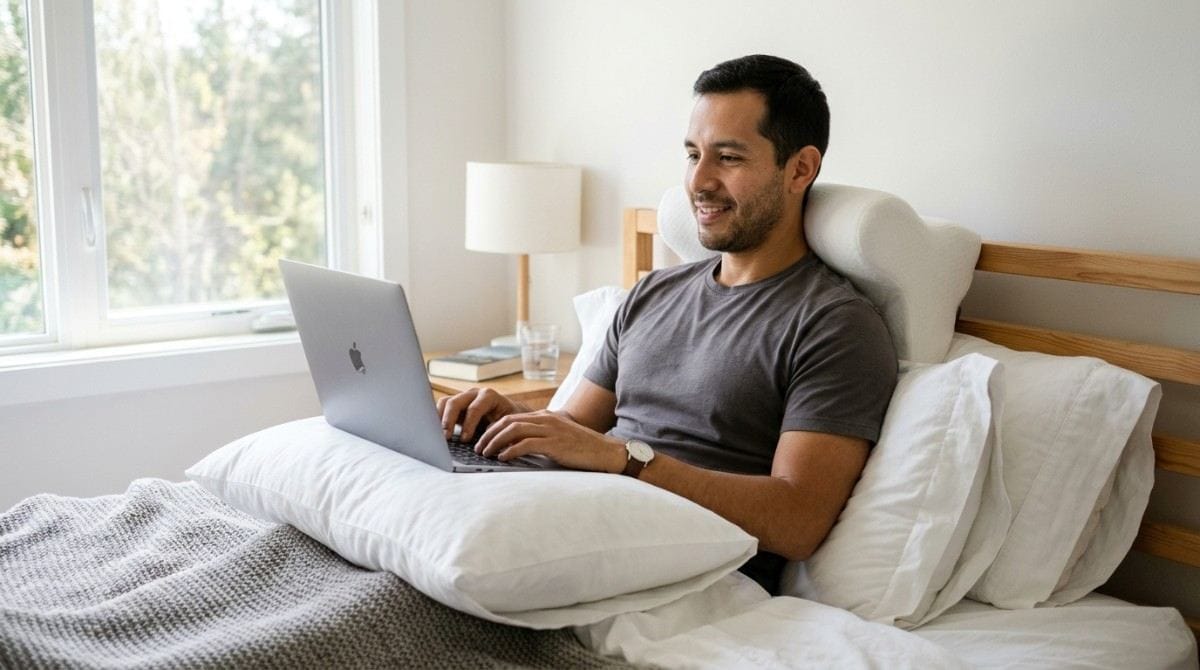
Gaming in bed is the hardest position to get right, because there is no firm back support and the device tends to sit low. Consumer Reports' physical therapists advise:
- Support your back and neck with pillows.
- Bend your knees slightly, place a pillow on your legs, and rest the device on it. This raises the screen so you do not bend your head down.
- Avoid slumped or hunched positions, which can cause back and neck pain.
A head tipped down for long periods is the pattern behind gamer neck. If you game on a laptop, laptop ergonomics covers screen height in more detail.
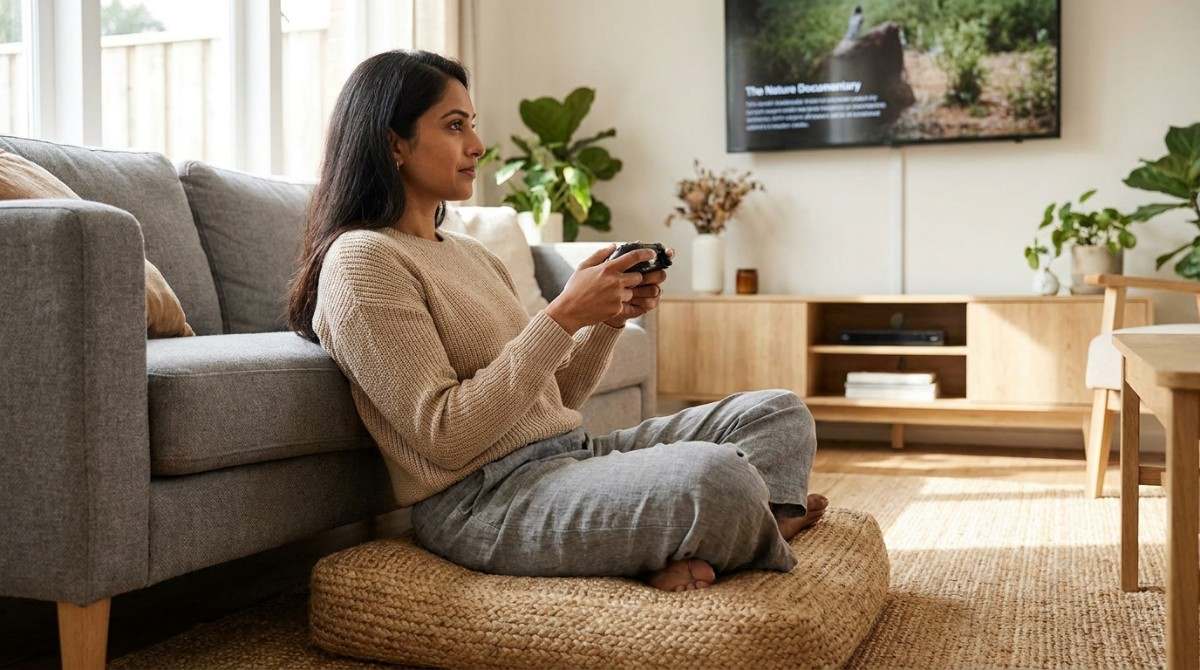
How Do You Sit on the Floor for Gaming?
Sitting on the floor is not harmful in itself. Hinge Health physical therapist Lori Walter says cross-legged sitting does not cause bad posture, and advises changing positions often instead of holding one. These tips help:
- Sit on a cushion or folded towel so your hips sit higher than your knees.
- Alternate which leg is on top, and vary how your legs cross.
- Lean against a couch or wall for back support (general guidance).
- Raise the screen toward eye level, so you are not craning down at a low TV.
- Stop if it hurts. Good hip mobility is needed to sit cross-legged comfortably, so start with stretches, not force.
If floor sitting leaves your hips tight, tight hips and lower back pain explains the connection.
How Often Should You Move When Gaming Without a Desk?
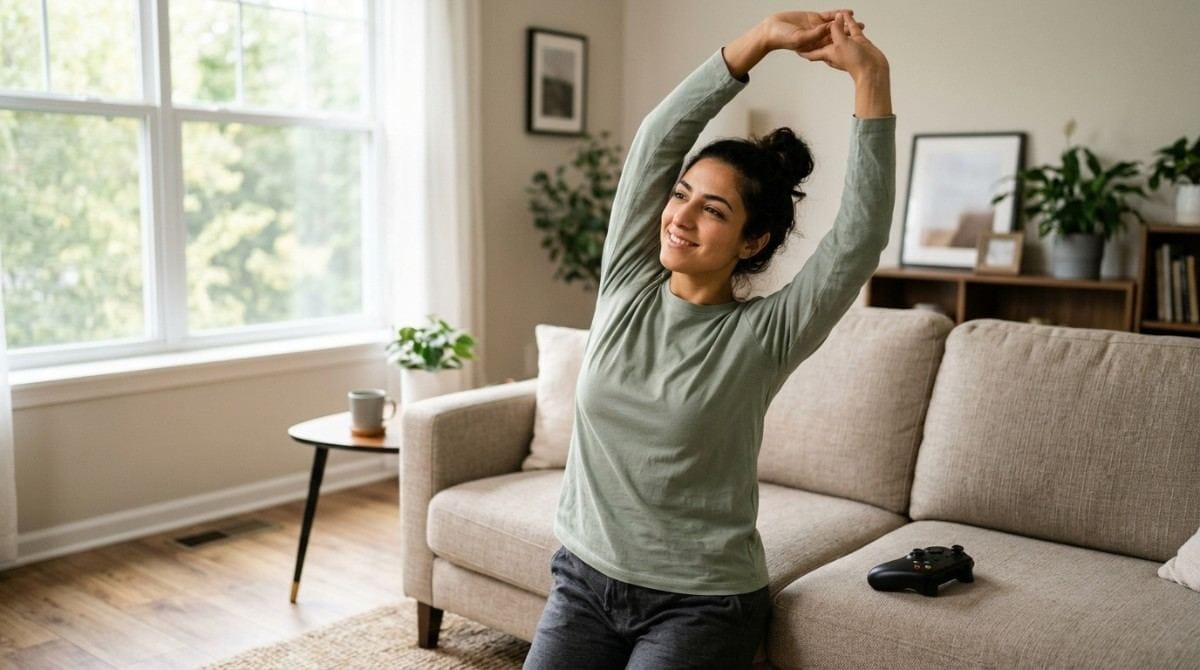
Move more often than you think, because soft seating hides the signals that tell you to shift. These figures come from two sources.
| Cue | Timing | Source |
|---|---|---|
| Get up and move around | A few times every hour | Kevin Weaver, via Consumer Reports |
| Leave the gaming spot to move | At least every 1 to 2 hours, for at least 6 minutes | Cleveland Clinic sports medicine specialists |
| Eye break | Every 20 minutes, look 20 feet away for 20 seconds | Cleveland Clinic |
| New position | Each time you sit back down | Jean Weaver, via Consumer Reports |
A side-profile scan in Backed AI shows how you actually sit on your couch or bed, so you can see whether a cushion or pillow change helped.
Best No-Desk Gaming Habits (Quick List)
- Support your lower back with a cushion or pillow in every position.
- Raise the screen toward eye level.
- Keep your elbows supported so your shoulders do not round to hold the controller.
- Change position after every break.
- Pick the right spot for the session. Short and casual suits a couch. Long suits a supportive chair.
- Reset between sessions. How long you can sit before it damages your back explains why.
Common mistakes: gaming on the edge of the couch, lying flat with the screen above you, balancing a laptop on your lap with your head down, and skipping breaks because the seat is comfortable.
When This Approach Doesn't Work
Cushions and pillows help most players, but they have limits:
- Long, competitive sessions need a supportive chair and desk. Soft seating cannot hold posture for hours.
- Numbness, tingling, or pain that spreads into a leg or arm needs a clinician.
- If you cannot sit comfortably on the floor, do not force it. Pain on entering a position means stop.
- No pillow setup replaces regular movement. For desk-based seating, see best sitting position for lower back pain.
Research & Expert Insight
Guidance for no-desk gaming comes from physical therapists and a Cleveland Clinic chiropractor, not controlled trials, so treat it as practical advice. Consumer Reports' physical therapists stress back support, a raised screen, and frequent position changes. Cleveland Clinic specialists suggest regular movement breaks and a supportive chair over a soft couch. Physiotherapists often recommend changing position frequently over holding any single posture for hours.
Step-by-Step No-Desk Gaming Setup Framework
This takes about 5 minutes.
- Pick your spot. Couch for short sessions, a supportive chair for long ones.
- Add back support. Sit back, with a cushion or pillows behind your lower back.
- Raise the screen. Toward eye level, straight ahead.
- Support your elbows and keep knees slightly bent.
- Set a cue to move a few times an hour.
- Take a side-profile photo and check that your head sits over your shoulders.
Final Takeaway
No-desk gaming can be fine for casual sessions if you build the support a desk would give you: a back cushion, bent knees, a raised screen, and frequent position changes. For long sessions, move to a supportive chair.
A cushion or pillow gives your body support. It does not tell you when you have slid back into a slump.
Why Most Exercise Plans Fail
- Inconsistency. Without tracking, most people quietly stop after a week or two.
- Wrong form. Posture exercises done poorly can reinforce the pattern they are meant to fix.
- No progression. The same routine forever stops challenging the muscles that need to adapt.
- No personalization. A generic plan treats every body the same way.
Backed AI scans your posture through your phone camera, flags patterns like forward head posture, rounded shoulders, and anterior pelvic tilt, and builds a routine around what it finds instead of a generic list. For gamers, that means three things:
- Personalized to your actual scan, so you see how you sit on the couch, in bed, or on the floor.
- Progress tracking that adapts as your posture improves, so you can see what your setup changes did.
- Built-in consistency, with reminders that fit around your sessions.
If your setup is dialed in and your back or neck still complains after relaxed sessions, that is the gap Backed AI is built to close. Download Backed AI and start correcting your posture today.
FAQ
Is it bad to game on the couch? Not for short sessions, if you sit well back so the couch supports your trunk, bend your knees slightly, and keep the screen straight ahead. A Cleveland Clinic chiropractor advises a more supportive chair rather than a couch that gives no real support.
Is it bad to game in bed? It is the hardest position to get right. Support your back and neck with pillows, bend your knees, and rest the device on a pillow so your head stays level instead of bent down. Avoid slumped positions, which can cause back and neck pain.
Is sitting on the floor bad for gaming posture? Not by itself. A physical therapist at Hinge Health says cross-legged sitting does not cause bad posture. Change positions often, sit on a cushion so your hips are above your knees, and stop if you feel pain.
How often should I move when gaming on a couch or bed? Get up and move around a few times every hour, according to a physical therapist quoted by Consumer Reports. Cleveland Clinic specialists also suggest leaving your gaming spot at least every 1 to 2 hours for at least 6 minutes.
What is the best way to game without a desk? Build the support a desk would give you. Use a cushion behind your lower back, keep your knees slightly bent, raise the screen toward eye level, support your elbows, and change position after every break.