Laptop Ergonomics: Why Your Laptop Is Wrecking Your Posture (and How to Fix It)
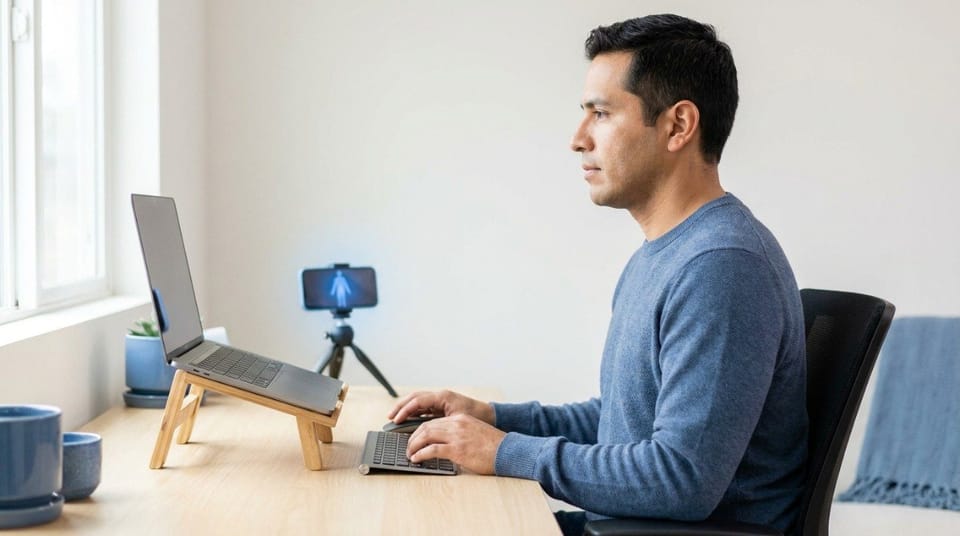
A laptop forces you to choose between neck strain and wrist strain, because the screen and keyboard are attached. The fix is to separate them: raise the screen to eye level and add an external keyboard and mouse. For sessions under an hour, a simpler lap or table setup can work.
Laptop ergonomics is the practice of separating your laptop's screen and keyboard so each sits at its own healthy height, keeping your neck, shoulders, and wrists in a neutral position.
TL;DR
- A laptop's built-in design forces a trade-off: a good screen height means a bad keyboard height, and the reverse. 💻
- Raise the screen until the top edge sits at about eye level.
- Add an external keyboard and mouse at or just below elbow height.
- A stack of books works as well as an expensive laptop stand.
- For short sessions under an hour, a simpler setup is fine. For longer work, separate the screen and keyboard.
- Setup helps, but you still need to move every 30 to 45 minutes.
What Is Laptop Ergonomics?
It's the laptop version of the desk setup covered in the complete ergonomic desk setup guide. A desktop lets you place the screen and keyboard separately. A laptop doesn't, so you have to create that separation yourself.
Most people never do. They open the lid, look down, and work like that for years.
Why Does a Laptop Hurt Your Posture?
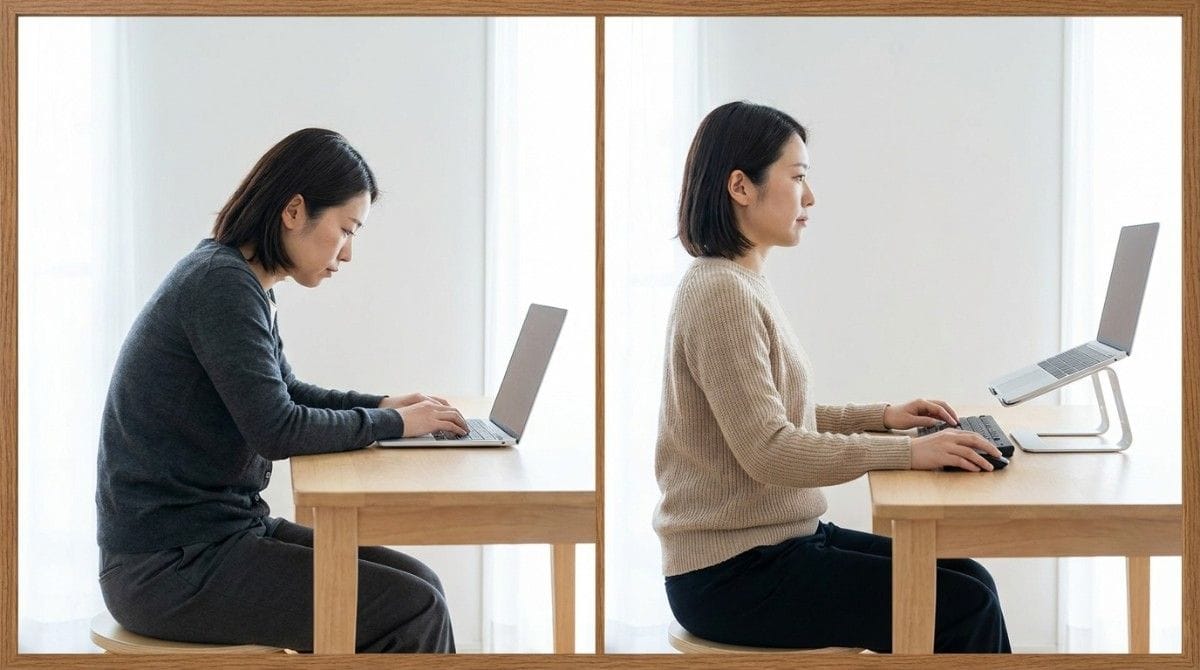
University ergonomics guidance describes the problem plainly. If the screen is at a good height, the keyboard is too high. If the keyboard is at a good height, the screen is too low.
So you trade neck strain for wrist strain, or the other way around. Most people pick a low screen, because it keeps their hands comfortable.
That low screen pulls your head forward, one reason tech neck and forward head posture are so common among laptop users. Your head weighs roughly 10 to 12 pounds, and every inch forward makes your neck muscles work harder.
💡 Key Insight: A laptop isn't a bad device. It's a device that puts two body parts in conflict. Separate the screen from the keyboard, and the conflict disappears.
| Setup | Screen Height | Keyboard Height | Verdict |
|---|---|---|---|
| Laptop flat on desk | Too low | Fine | Neck and upper back strain |
| Laptop raised, no external keyboard | Fine | Too high | Shoulder and wrist strain |
| Laptop on lap | Too low | Fine | Fine for under an hour only |
| Raised laptop plus external keyboard and mouse | Fine | Fine | Best option for long sessions |
| Laptop plus external monitor | Fine | Fine | Closest to a desktop setup |
How Do You Set Up a Laptop Ergonomically at a Desk?
Follow the same logic as a desktop, in a different order:
- Raise the screen. Put the top edge at about eye level, or slightly lower if you wear bifocals.
- Add an external keyboard and mouse. Place them at or just below elbow height.
- Keep elbows close. Aim for 90 to 120 degrees, with wrists straight.
- Check your neck. Your ear should sit over your shoulder, not in front of it.
- Use a footrest if your feet don't rest flat.
Exact screen height and distance work the same as on a desktop monitor, as shown in correct monitor height and distance. For the hand and shoulder side of the setup, keyboard and mouse position and wrist posture covers it in detail.
Not sure how far your head drifts forward when you work on your laptop? A quick side-profile scan in Backed AI shows where your head and shoulders actually sit, so you're not guessing.
What Happens If You Keep Your Laptop Flat on the Desk?
Small daily compromises add up:
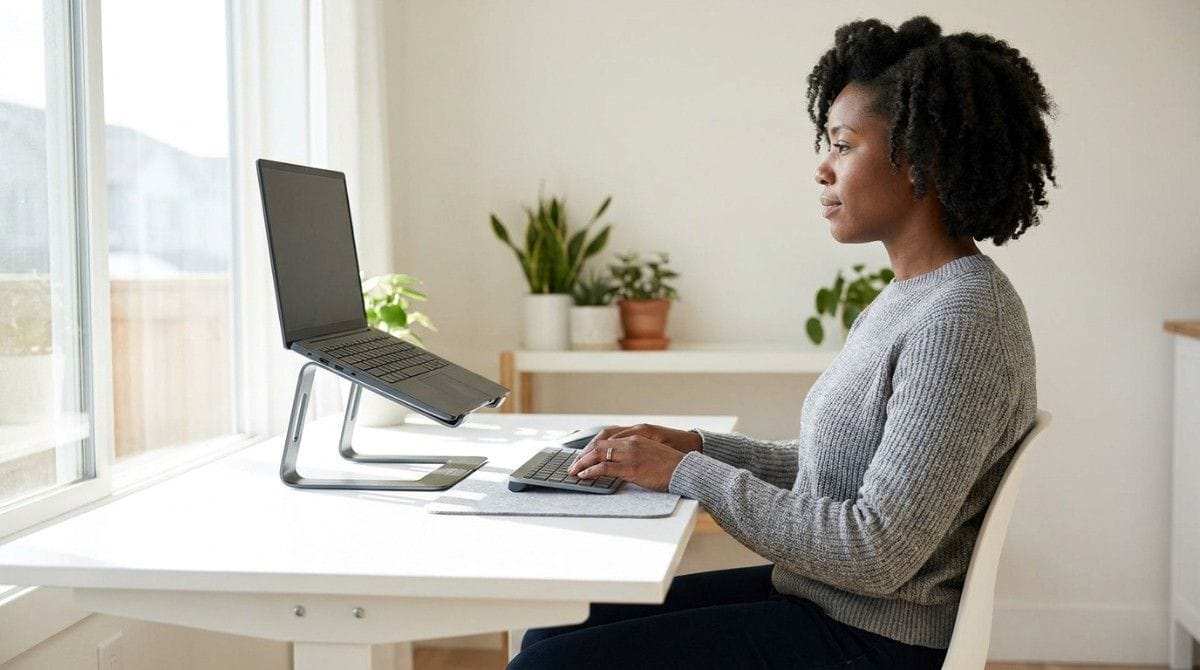
- Forward head posture. A low screen pulls your head forward for hours at a time.
- Tension between the shoulder blades. Your upper back works to hold your head up. Desk setup to stop pain between the shoulder blades shows how this builds.
- Tight neck and headaches. Constant neck flexion can tighten the base of the skull.
- Rounded shoulders. You hunch toward the screen without noticing.
⚠️ When NOT to rely on setup alone: If you have numbness, tingling, or pain that spreads into your arms or wakes you at night, see a doctor or physiotherapist.
Timing Advice: How Long Can You Use a Laptop Without a Setup?
Duration changes the answer:
- Under an hour: A lap or table setup is fine. Keep your wrists straight and your screen tilted so your head stays upright.
- Over an hour: Separate the screen and keyboard. This is where most strain builds.
- All day: Add an external keyboard and mouse, raise the screen, and take a movement break every 30 to 45 minutes.
Laptop Setup Variations
- Home desk: Raise the screen on a stand or books, and add an external keyboard and mouse.
- Small desk: Choose a slim stand and a compact keyboard.
- Hot desk or café: Carry a foldable stand and a small keyboard. If you can't, keep sessions short.
- Couch or bed: There's no stable base, so keep sessions short, raise the laptop with a pillow or binder, and change position often.
- Docking station: This gives you a near-desktop setup in one step.
When This Approach Doesn't Work
Better equipment fixes some problems, not all:
- If you have persistent pain or numbness despite a good setup, get it assessed.
- If you can't use an external keyboard, keep your laptop flat and raise only your chair.
- If you hunch the moment you get absorbed in work, the cause is habit, not equipment.
- If you work for hours without breaks, even a perfect setup will stiffen your neck.
Best Laptop Ergonomics Fixes (Quick List)
- Raise the screen. A stand, a box, or a stack of books all work.
- Add an external keyboard and mouse. This is the single biggest upgrade.
- Pull everything close. Reaching forward undoes the benefit of raising the screen.
- Keep your wrists straight. Raise or lower your chair to match.
- Take a break every 30 to 45 minutes. Stand, roll your shoulders, and look away from the screen.

Research & Expert Insight
University ergonomics guidance consistently recommends raising the screen to about eye level and using an external keyboard and mouse for any long laptop session. Physiotherapists often recommend fixing screen height first, since it removes the largest load on the neck. Research in workplace ergonomics shows that frequent short position changes reduce strain more than any single ideal position held for hours.
Posture specialists suggest checking your side profile every few weeks, because heads tend to drift forward again once you stop paying attention.
Step-by-Step Recovery Framework: Set Up Your Laptop in 5 Minutes
- Sit in your normal working posture. Don't set up from a perfect posture you won't keep.
- Raise the screen until the top edge sits at about eye level.
- Place the external keyboard and mouse at or just below elbow height.
- Pull both close. Your elbows should hang near your sides.
- Check your side profile. Take a quick photo and see whether your ear sits over your shoulder.
- Recheck in a week. For a daily routine that keeps your head over your shoulders, how to improve neck posture is the next step.
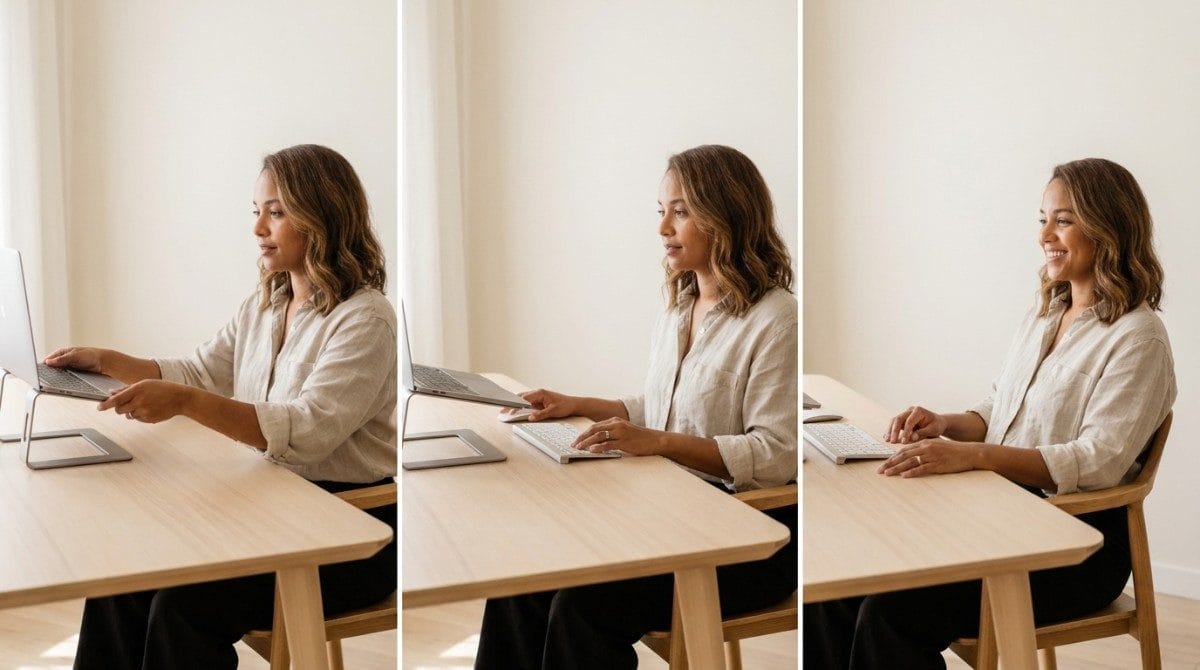
A good setup stops new strain from building. It doesn't undo a head position that has settled forward after years of working hunched over a laptop. For that, forward head posture exercises are the next step.
Final Takeaway
Laptop ergonomics comes down to one idea: separate the screen from the keyboard. Raise the screen to about eye level, add an external keyboard and mouse, and keep everything close. Do that and you stop trading neck pain for wrist pain. Pair it with regular movement, and you protect your posture whether you work at home or on the go.
A better laptop setup stops new strain from building. It doesn't reverse the forward head posture you've already built from years of looking down at a screen. That's the gap between fixing your desk and correcting your posture.
Why Most Exercise Plans Fail
- Inconsistency. Without tracking, most people quietly stop after a week or two.
- Wrong form. Neck and upper back exercises done poorly can reinforce the pattern they're meant to fix.
- No progression. The same routine forever stops challenging the muscles that need to adapt.
- No personalization. A generic plan treats every head position the same way.
Backed AI scans your posture through your phone camera, flags patterns like forward head posture and rounded shoulders, and builds a routine around what it finds instead of a generic list. It's a smarter alternative to random YouTube exercises, in three ways:
- Personalized to your actual scan, not a one-size-fits-all routine.
- Progress tracking that adapts as your head position genuinely improves, not just your laptop height.
- Built-in consistency, with reminders that outlast the motivation of a new desk setup.
If your laptop is finally at the right height and your head still drifts forward, that's the exact gap Backed AI is built to close. Download Backed AI and start correcting your posture today.
FAQ
How should I set up my laptop ergonomically? Raise the screen so the top edge sits at about eye level, then use an external keyboard and mouse at or just below elbow height. Keep both close so your elbows stay near your sides.
Why is using a laptop bad for your posture? The screen and keyboard are attached, so a good screen height gives you a bad keyboard height, and the reverse. Most people choose a low screen, which pulls the head forward.
Do I need a laptop stand? Not necessarily. A stack of books or a sturdy box raises the screen just as well. What matters is separating the screen from the keyboard.
Is it okay to use a laptop on your lap? For short sessions under an hour, yes, provided your wrists stay straight and your screen is tilted so your head stays upright. For longer work, use a raised screen and an external keyboard.
Can a laptop cause neck pain and headaches? It can. A low screen keeps your head tipped forward, which makes your neck and upper back muscles work harder and can build tension over time.