Correct Monitor Height and Distance for Neck and Eye Strain
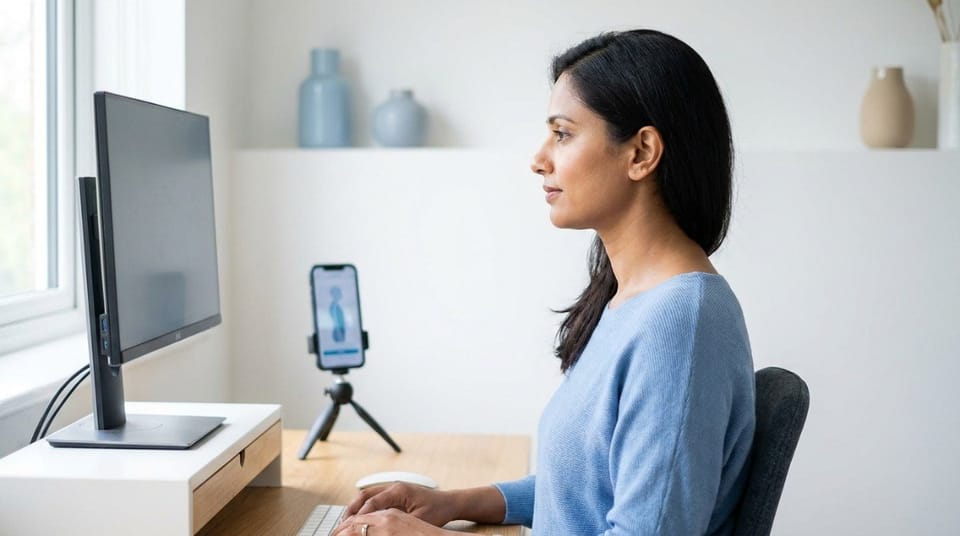
The top of your monitor should sit at or just below eye level, about an arm's length away, and tilted back slightly. That position keeps your neck neutral and lets your eyes rest on the screen without reaching forward or looking up. Most neck and eye strain from screen work starts with a monitor that's too low, too close, or off to one side.
TL;DR
- Place the top edge of your screen at or just below eye level, never above it. 👀
- Sit about an arm's length away, roughly 20 to 30 inches. Bigger screens go farther back, not higher.
- Tilt the screen back 10 to 20 degrees to cut glare.
- A monitor that's too low is the biggest posture problem, because it pulls your head forward all day.
- Placement helps your neck, but eye comfort also needs breaks, blinking, and good lighting.
- Laptops, dual monitors, and bifocals each need a small adjustment.
What Is Correct Monitor Height?
Correct monitor height is the screen position where the top edge sits at or just below your eye level, so your gaze lands on the upper-middle of the screen without tilting your head up or down. Your eyes naturally rest a little downward, which is why this position feels effortless once it's set.
It's one of four pieces covered in the complete ergonomic desk setup guide. This article goes deeper on the screen itself, because it's the adjustment that changes your neck position fastest.
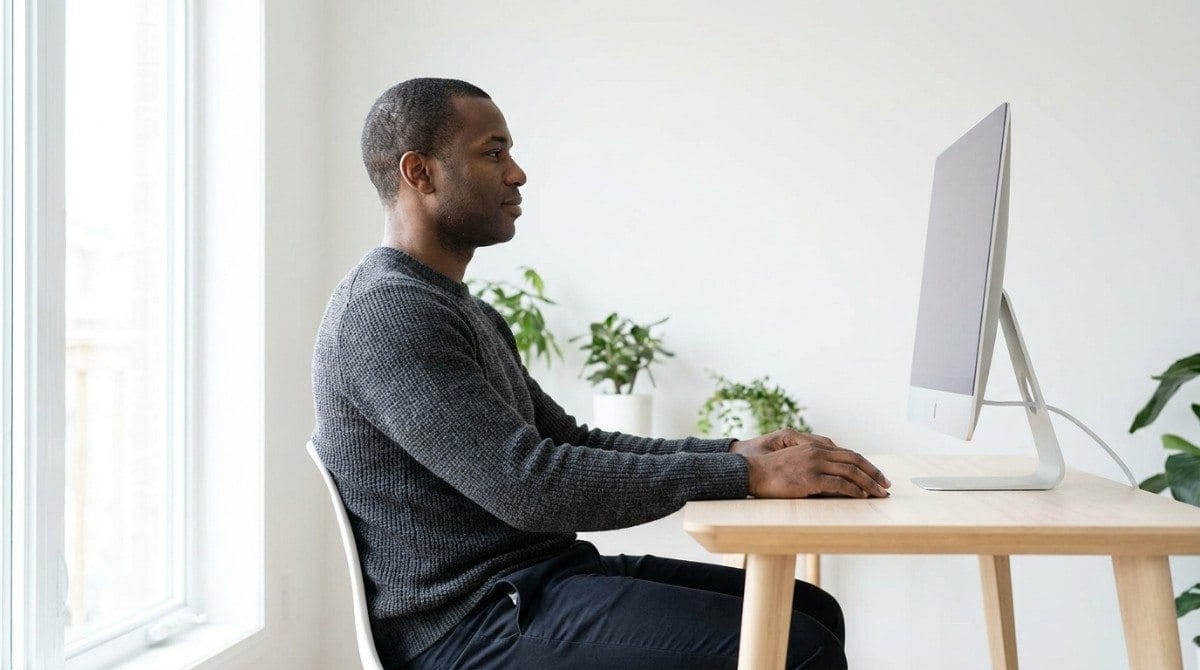
Why Does Monitor Height Cause Neck Pain?
Your head weighs roughly 10 to 12 pounds. When it sits directly over your shoulders, your neck muscles barely have to work. When it drifts forward to read a low screen, those muscles work harder every minute you sit there.
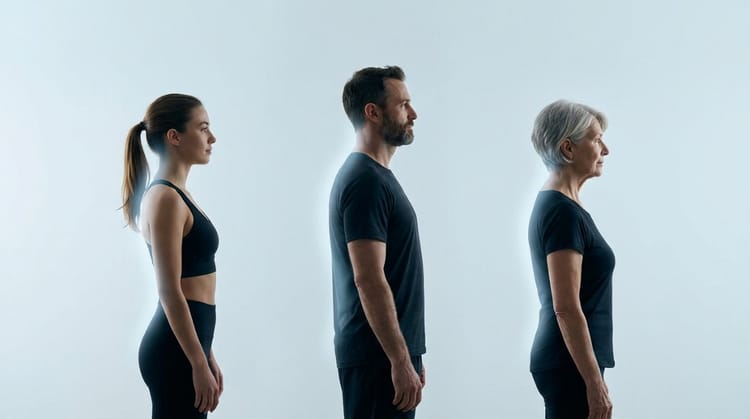
A low screen makes your chin poke forward, your upper back round, and your shoulders follow. Over months, that becomes forward head posture. daily habits that quietly wreck neck posture shows how small, repeated positions like this add up.
A screen that's too high does the opposite. Your head tips back, and the base of your skull tightens. If that sounds familiar, can bad posture cause headaches explains the neck-tension connection.
💡 Key Insight: Your eyes follow the screen, and your head follows your eyes. Fix the screen position, and your head position usually fixes itself.
How Far Should a Monitor Be From Your Eyes?
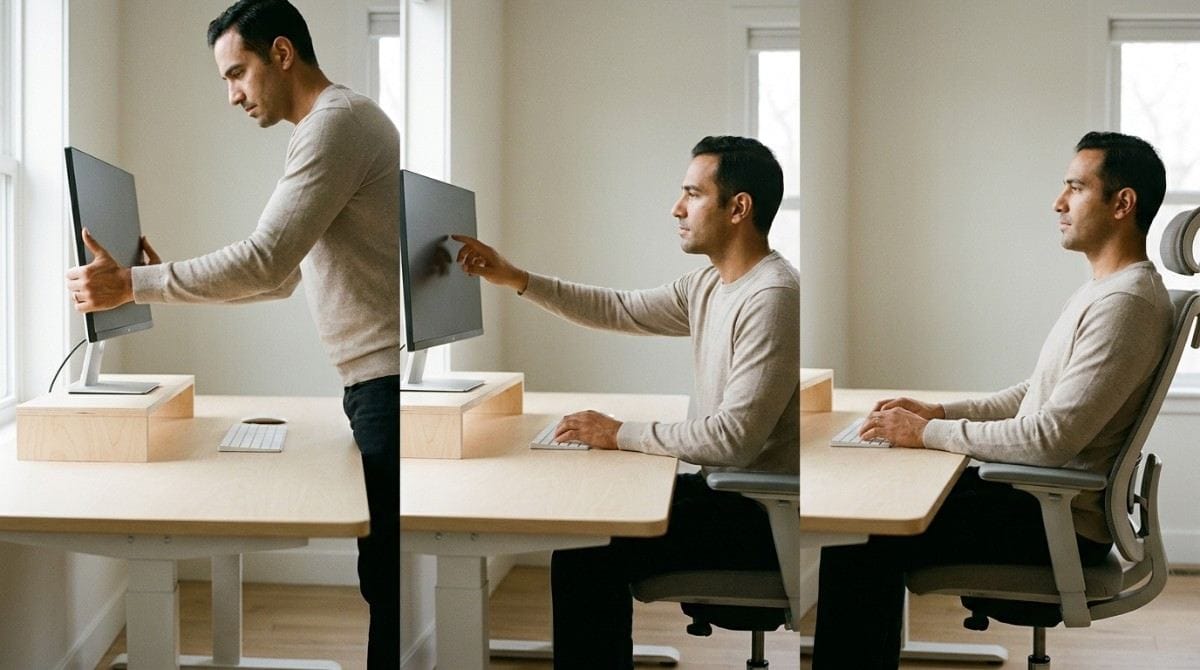
Use the arm's length test. Sit back in your normal working posture and extend one arm. Your fingertips should just reach the screen. For most people, that's about 20 to 30 inches.
Too close, and your eyes tire while you lean in. Too far, and you squint and crane forward. Larger or ultrawide screens need more distance, not more height.
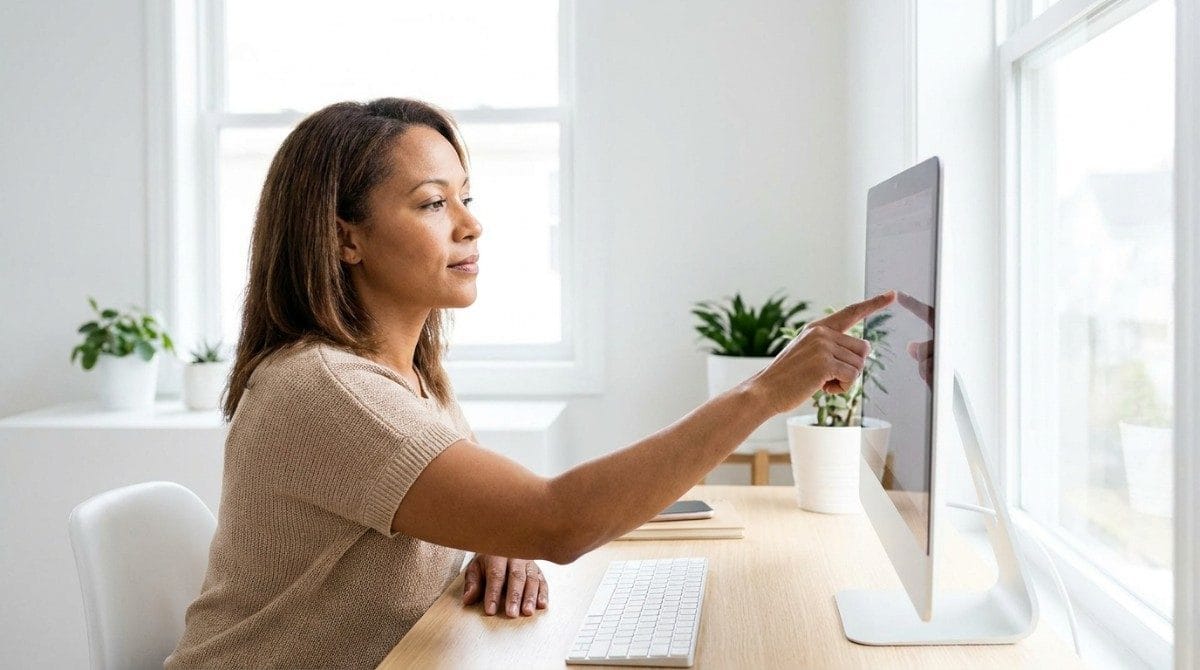
Then tilt the top of the screen back 10 to 20 degrees. Position it side-on to windows rather than facing or backing them, so glare doesn't force you to shift your head.
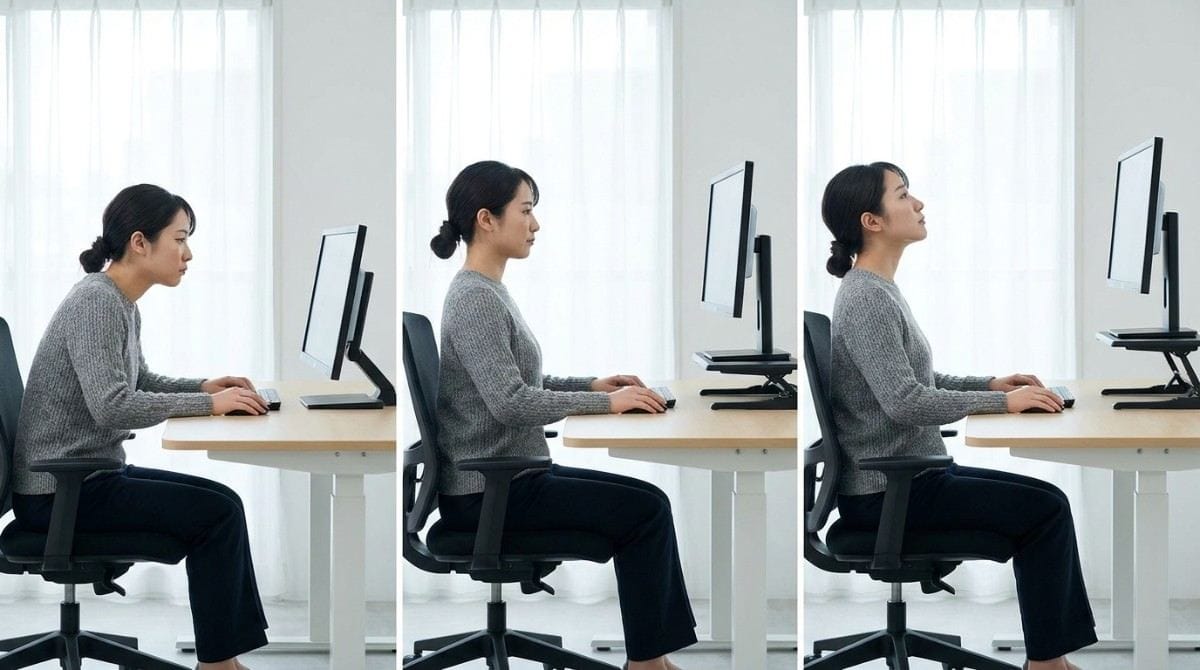
| Setting | Target | If It's Off |
|---|---|---|
| Height | Top edge at or just below eye level | Too low: head drifts forward. Too high: head tips back |
| Distance | About an arm's length, 20 to 30 inches | Too close: eye fatigue and leaning in. Too far: squinting and craning |
| Tilt | Back 10 to 20 degrees | Flat or forward: glare and head tilt |
| Position | Centered, directly in front | Off to one side: constant neck rotation |
What Happens If Your Monitor Is Too Low or Too High?
Each mistake loads a different part of your body:
- Too low: forward head posture, rounded shoulders, and tension between the shoulder blades. desk setup to stop pain between the shoulder blades shows how this travels down the upper back.
- Too high: neck extension, a tight base of the skull, and tension that can build into headaches.
- Off to the side: constant neck rotation and one-sided tightness.
- Too close: eye fatigue and a habit of leaning forward.
If your head already drifts forward out of habit, a quick side-profile scan in Backed AI shows how far, so you're not guessing whether your new setup is working.
⚠️ When NOT to rely on monitor changes alone: If you have numbness or tingling down an arm, or pain that wakes you at night, see a professional rather than adjusting your desk.
How Do You Reduce Eye Strain Beyond Monitor Placement?
Position helps, but your eyes also need regular rest:
- Follow the 20-20-20 rule. Every 20 minutes, look at something about 20 feet away for 20 seconds.
- Blink fully. Blinking drops during focused screen work.
- Match brightness to the room. A screen much brighter or darker than its surroundings tires your eyes faster.
- Increase text size. Enlarge the text instead of leaning toward the screen.
Monitor Setup Variations
- Single monitor: center it directly in front of you.
- Dual monitors, one main: center the main screen and angle the second beside it.
- Dual monitors, equal use: meet them in the middle with a slight inward angle.
- Laptop: raise it on a stand and add a separate keyboard and mouse. Otherwise you can fix screen height or elbow position, but not both.
- Bifocals or progressive lenses: lower the screen slightly so you don't tip your chin up to read.
When This Approach Doesn't Work
A well-placed monitor won't solve everything:
- If you have blurry vision, double vision, or frequent headaches despite a good setup, get your eyes checked. An outdated prescription can cause the same symptoms.
- If you hot-desk and can't adjust your screen, carry a portable laptop stand or use a stack of books.
- If pain spreads into your arm or comes with numbness, that needs a professional assessment.
- If your head still drifts forward after a perfect setup, the cause is usually habit and muscle weakness, not the monitor.
Best Monitor Adjustments (Quick List)
- Raise the screen until the top edge is at or just below eye level. A riser or a stack of books works.
- Push it back to arm's length.
- Tilt it back 10 to 20 degrees.
- Center it directly in front of you.
- Angle it away from direct window light.
- Enlarge the text instead of leaning in.
Research & Expert Insight
Widely cited workplace ergonomics guidance, including OSHA's, places the top of the screen at or just below eye level. Ergonomics specialists often recommend pairing that with an arm's length viewing distance and a slight backward tilt. Research in workplace ergonomics consistently links low screen positions with more forward neck bending among desk workers.
Eye-care groups widely recommend the 20-20-20 rule, and some studies associate it with fewer eye strain symptoms. Physiotherapists often recommend combining screen adjustments with regular movement breaks, since even a perfect position held for hours still stiffens the neck.
Step-by-Step Recovery Framework: Set Your Monitor in 5 Minutes
- Set your chair first. Sit in your normal working posture before touching the screen.
- Look straight ahead. Notice where your eyes land on the screen.
- Raise or lower the screen until your eyes meet the top edge or upper third.
- Run the arm's length test and move the screen back if needed.
- Tilt and angle it away from windows.
- Check your profile. Take a side photo and see whether your ear sits over your shoulder. Recheck in a week, since heads tend to drift back to old habits.
how to improve neck posture covers the daily routine that keeps your head stacked over your shoulders once the screen is set. If your head has already settled forward, forward head posture exercises is the next step for undoing the damage from screens.
Final Takeaway
Correct monitor height comes down to three numbers: top edge at or just below eye level, about an arm's length away, tilted back 10 to 20 degrees. Get those right and you remove one of the biggest daily pushes on your neck and eyes. What it won't do is undo a head position that's already settled forward. That takes targeted, consistent work.
A better monitor position stops new strain from building. It doesn't reverse the forward head posture you've already built from years of looking down at a screen. That's the gap between fixing your desk and correcting your posture.
Why Most Exercise Plans Fail
- Inconsistency. Without tracking, most people quietly stop after a week or two.
- Wrong form. Neck and upper back exercises done poorly can reinforce the pattern they're meant to fix.
- No progression. The same routine forever stops challenging the muscles that need to adapt.
- No personalization. A generic plan treats every head position the same way.
Backed AI scans your posture through your phone camera, flags patterns like forward head posture and rounded shoulders, and builds a routine around what it finds instead of a generic list. It's a smarter alternative to random YouTube exercises, in three ways:
- Personalized to your actual scan, not a one-size-fits-all routine.
- Progress tracking that adapts as your head position genuinely improves, not just your screen height.
- Built-in consistency, with reminders that outlast the motivation of a new desk setup.
If your screen is finally at the right height and your head still drifts forward, that's the exact gap Backed AI is built to close. Download Backed AI and start correcting your posture today.
FAQ
How high should my monitor be? The top edge of your screen should sit at or just below eye level, so your gaze lands on the upper part of the screen without tilting your head.
How far should a monitor be from your eyes? About an arm's length, or roughly 20 to 30 inches for most screens. Larger or ultrawide monitors work better farther back.
Can a low monitor cause neck pain? Yes. A low screen pulls your head forward, which makes your neck and upper back muscles work harder and can build into forward head posture over time.
Does monitor position affect eye strain? It can. A screen that's too close, too bright for the room, or hit by glare tires your eyes faster. Regular breaks, such as the 20-20-20 rule, also help.
Where should a second monitor go? Center your main screen and angle the second beside it. If you use both equally, meet them in the middle at a slight inward angle.