
How to Switch to a Standing Desk Without Hurting Your Back
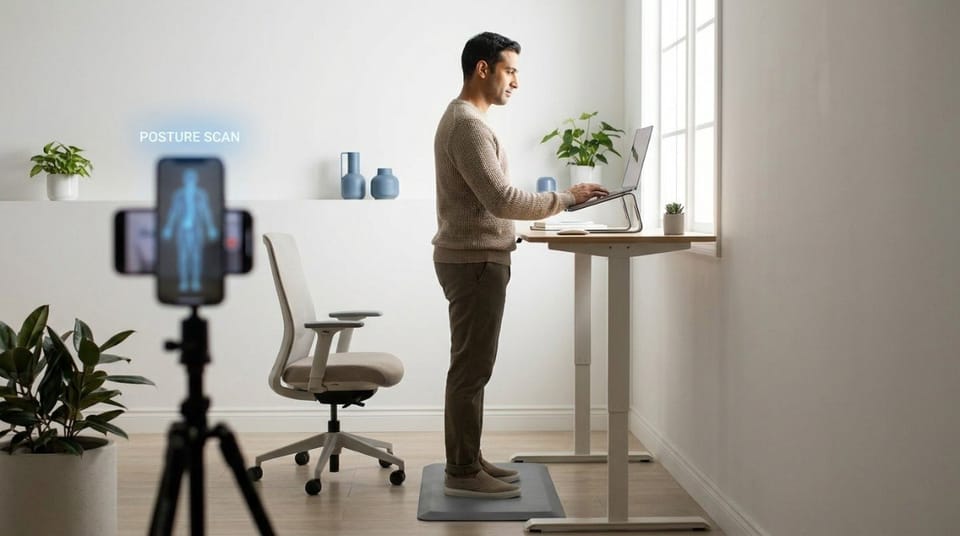
Switch gradually. Start with short standing blocks of 15 to 20 minutes, alternate with sitting about every 30 minutes, and build toward about four hours a day over a few weeks. Keep your knees soft and your feet supported, and set your screen and keyboard the way you would when sitting.
A standing desk transition is a gradual plan for building up standing time so your back, legs, and feet adapt without strain.
TL;DR
- Most back pain after switching comes from doing too much, too soon. 🧍
- Start with up to about two hours of standing a day, then build toward four.
- Alternate between sitting and standing roughly every 30 minutes.
- Never lock your knees, and shift your weight often.
- An anti-fatigue mat and comfortable shoes make a real difference.
- If anything aches, shorten your next standing block instead of pushing through.
What Is a Standing Desk Transition?
Sit-stand desks are often sold as a fix for sitting. They're not a fix on their own, because your body needs time to adapt to standing, the same way it needed time to adapt to sitting.
If you're still deciding whether a standing desk suits you, office chair vs standing desk vs kneeling chair compares your options. This article assumes you've decided and want to start well.
Why Does Standing Make Your Back Hurt at First?
Standing isn't gentler than sitting. It's a different load. Your calves, glutes, and lower back muscles hold you up for long stretches, and they're not used to it.
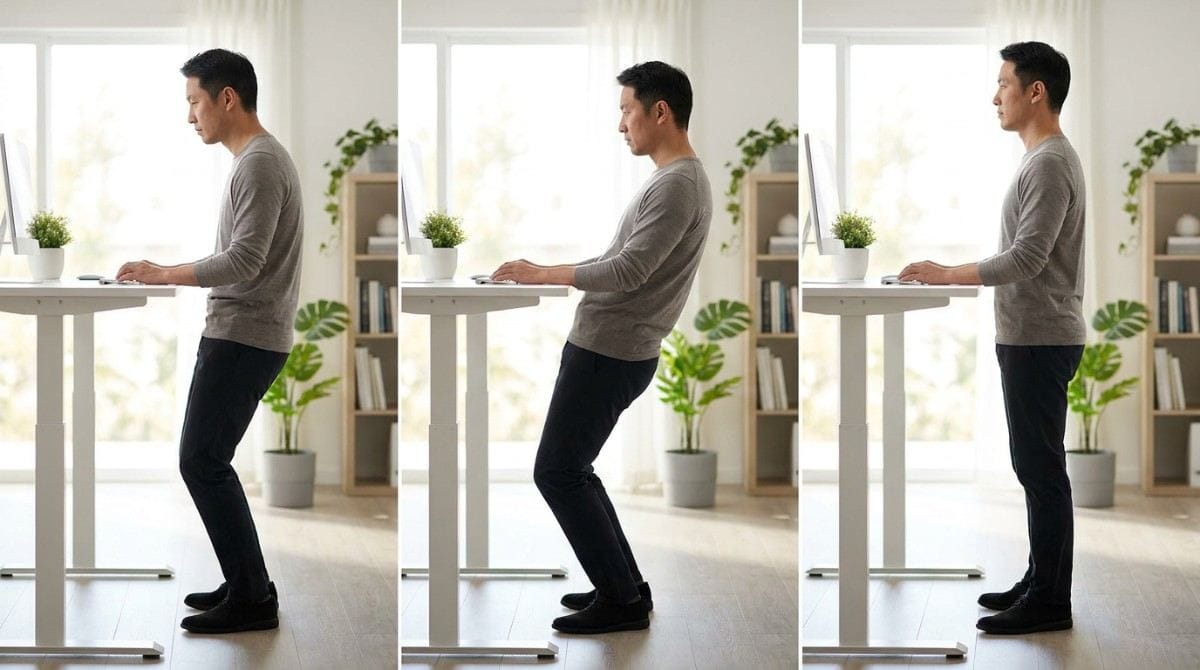
Tired people also stand badly. They lock their knees, lean on one hip, or let the lower back sag into an arch. If your back aches after a long stand, why your lower back hurts when you stand for a long time explains the pattern in more detail.
An exaggerated arch is also the signature of anterior pelvic tilt, so it's worth checking your standing posture when you fatigue.
There's a psychology trap as well. Standing all day in week one feels virtuous. By week two, sore feet and an aching back make people quit. Gradual progress beats heroic effort.
💡 Key Insight: The best position is the next one. The desk works because you alternate and move, not because standing is magic.
| Common Standing Mistake | What It Does | Simple Fix |
|---|---|---|
| Locking your knees | Strains knees and tires legs | Keep a soft bend |
| Leaning on one hip | Twists the pelvis and lower back | Shift weight evenly, change sides |
| Arching the lower back | Compresses the lower spine | Gently tuck ribs down, engage glutes |
| Standing in one spot | Tires feet and legs | Move your feet and change stance |
| Standing for hours on day one | Overloads unconditioned muscles | Build up gradually |
How Do You Set Up a Standing Desk Correctly?
Keep the rules you'd use when sitting:
- Elbows: Near 90 to 100 degrees, with wrists straight and shoulders relaxed. Keyboard and mouse position covers this in detail.
- Screen: Top at or just below eye level, about an arm's length away.
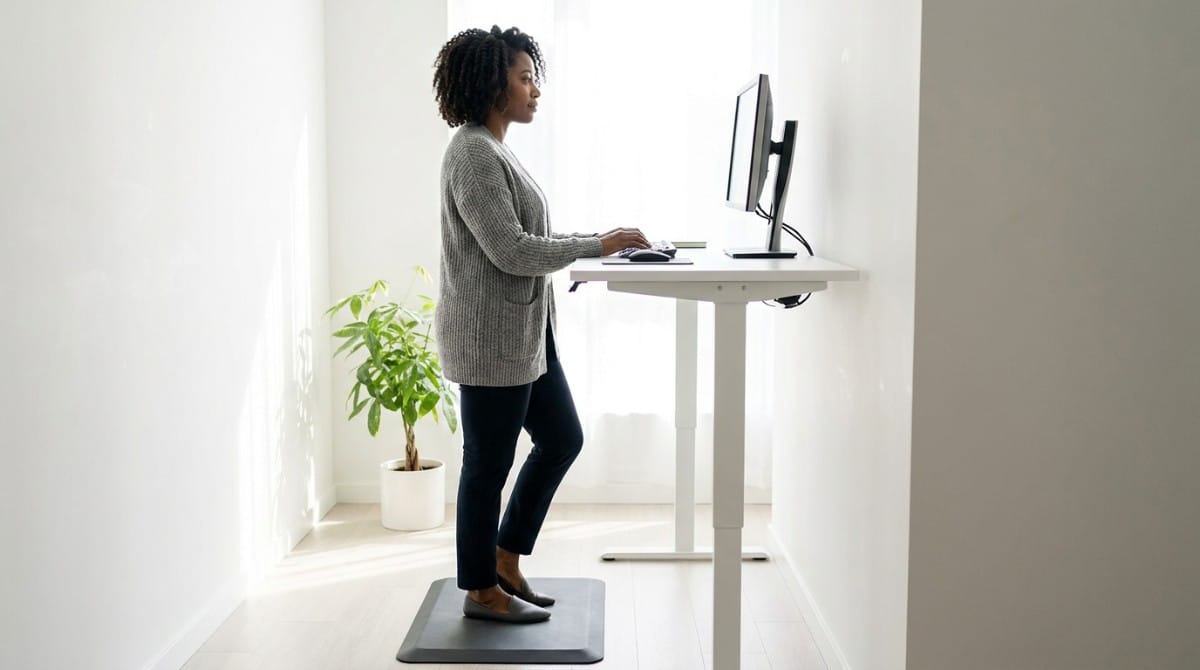
- Surface: Stand on an anti-fatigue mat, especially on hard floors or thin carpet.
- Shoes: Wear comfortable shoes or use insoles. A spare pair at your desk works.
- Clear space: Move chairs and bins so you don't trip when you shift position.
- Memory: Note your standing height and return to it each time.
Standing posture is easy to get wrong without noticing. A quick side-profile scan in Backed AI shows whether you're leaning back or arching, so you can adjust before your back complains.
How Long Should You Stand at First?
University ergonomics guidance suggests standing for up to about two hours a day at first, building toward about four, and switching between sitting and standing roughly every 30 minutes. Here's a practical ramp built around that:
| Week | Standing Goal | Notes |
|---|---|---|
| 1 | 15 to 20 minutes at a time, up to about 1 hour total | Stop early if your back or feet ache |
| 2 | About 30 minutes at a time, up to about 2 hours total | Keep alternating with sitting |
| 3 to 4 | Alternate about every 30 minutes, building toward 4 hours | Don't force it |
This is a sample ramp, not a prescription. Your body sets the pace. Standing all day isn't the goal. Moving regularly is.
What Happens If You Stand Too Much Too Soon?
- Back and leg fatigue, from muscles carrying more load than they're used to.
- Sore feet, especially on hard floors.
- Sloppy posture, as tired muscles let you lock knees or sag into an arch.
- Quitting, because standing starts to feel like a punishment.
⚠️ When NOT to push through: Sharp pain, numbness, or tingling means stop and sit. See a professional if it persists.
When This Approach Doesn't Work
A gradual transition helps most people, but not everyone:
- If you're pregnant or have a pre-existing condition that standing could affect, check with a healthcare practitioner first.
- If your desk doesn't adjust, use a tall chair or stool with a foot ring to sit for part of the day.
- If your pain gets worse over weeks, or spreads into your legs, get it assessed.
- If you have no space to move, the desk won't help much. Build in walking breaks instead.
Best Standing Desk Habits (Quick List)
- Alternate positions about every 30 minutes, rather than standing for hours.
- Keep your knees soft. Locked knees tire your legs quickly.
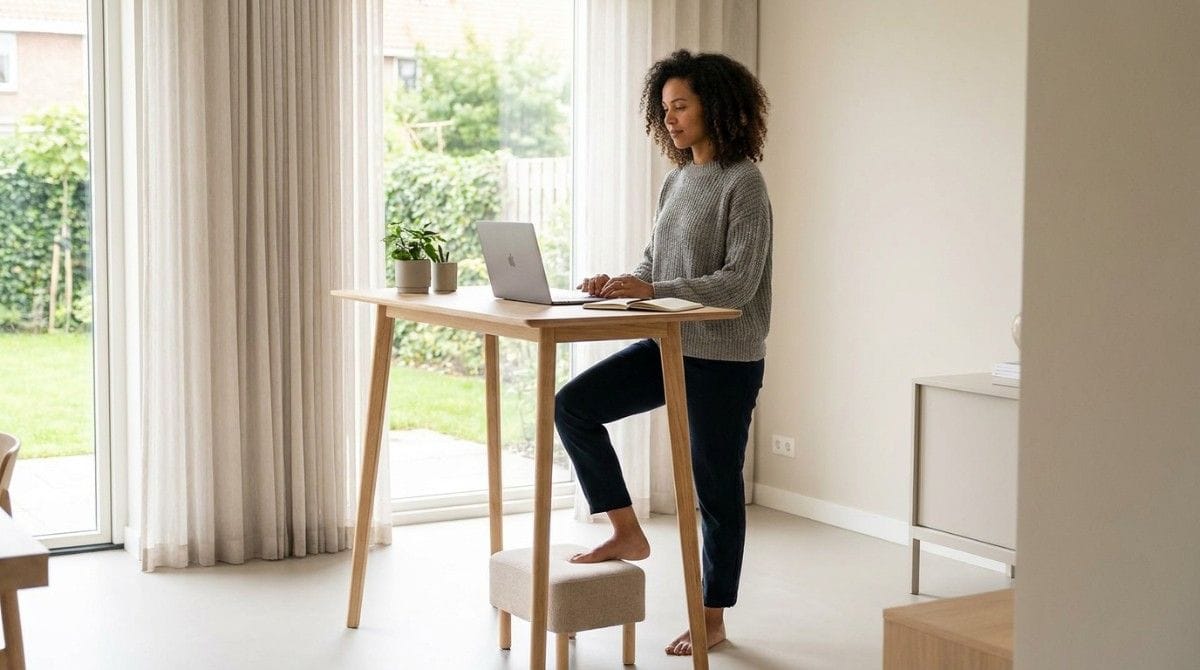
- Shift your weight. Use a small footstool or stacked books to rest one foot, then switch sides.
- Switch on your glutes. A few squeezes help hold the pelvis steady, and glute activation exercises show how.
- Walk during breaks. A one-minute lap resets your legs.
- Stop when form slips. When you notice sagging or leaning, sit down.
Standing Desk Setups by Situation
- Electric sit-stand desk: Easiest. Set your two heights once and use memory presets.
- Desktop riser: Raise your screen and keyboard together, and keep elbows near 90 degrees.
- Fixed-height desk: Use a tall stool for sitting breaks.
- Hot desk: Fix the free things first: knees, weight shifts, and short blocks.
Research & Expert Insight
University ergonomics guidance suggests easing into standing, alternating with sitting, and keeping standing posture the same as sitting posture. Physiotherapists often recommend frequent position changes over any single position held for hours. Posture specialists suggest checking your side profile when you tire, because posture slips as muscles fatigue.
Step-by-Step Recovery Framework: Your First Week Standing
- Set your heights. Elbows near 90 to 100 degrees, screen top near eye level.
- Add a mat and good shoes.
- Stand for 15 to 20 minutes, then sit. Repeat a few times.
- Check your posture. Soft knees, balanced weight, ear over shoulder.
- Note how you feel that evening. Aching means shorten tomorrow's blocks.
- Add time slowly, following the weekly ramp above.
The 12-point desk setup self-assessment is a good way to audit your whole workstation once you've settled in.
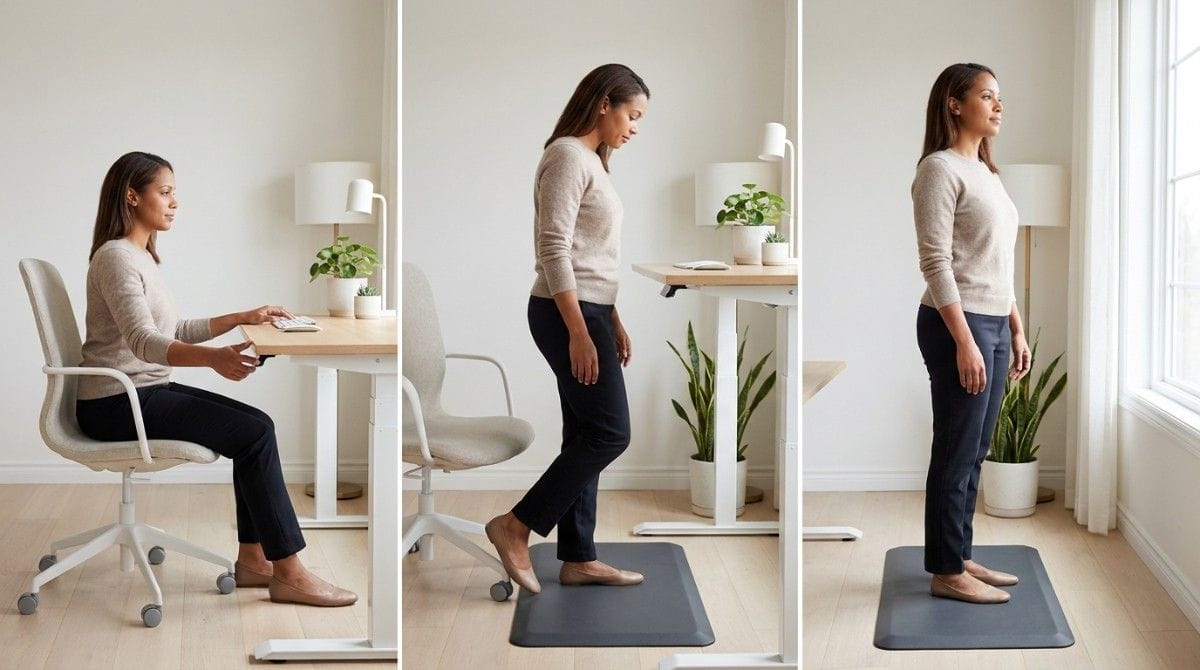
A gradual plan protects your back while you adapt. It doesn't build the posture strength that makes standing easy in the first place. For that, a short reset like wall angels for desk workers helps your upper body stay open between blocks.
Final Takeaway
A standing desk helps when you ease into it. Build standing time gradually, alternate with sitting, keep your knees soft, and stop when form slips. Done this way, you get the movement benefits without trading one kind of back pain for another.
A standing desk changes your position. It doesn't change your posture habits. If your head drifts forward or your lower back sags when you tire, it'll do that standing, too.
Why Most Exercise Plans Fail
- Inconsistency. Without tracking, most people quietly stop after a week or two.
- Wrong form. Posture exercises done poorly can reinforce the pattern they're meant to fix.
- No progression. The same routine forever stops challenging the muscles that need to adapt.
- No personalization. A generic plan treats every body the same way.
Backed AI scans your posture through your phone camera, flags patterns like forward head posture, rounded shoulders, and anterior pelvic tilt, and builds a routine around what it finds instead of a generic list. It's a smarter alternative to random YouTube exercises, in three ways:
- Personalized to your actual scan, not a one-size-fits-all routine.
- Progress tracking that adapts as your posture genuinely improves, standing or sitting.
- Built-in consistency, with reminders that outlast the novelty of a new desk.
If your new standing desk is set up well and your back still complains, that's the exact gap Backed AI is built to close. Download Backed AI and start correcting your posture today.
FAQ
How long should I stand at a standing desk at first? Start with up to about two hours of standing a day, in blocks of 15 to 30 minutes, and build toward about four hours as your body adapts. Alternate with sitting roughly every 30 minutes.
Why does my back hurt when I use a standing desk? Usually because you're doing too much too soon, or standing with poor posture, such as locked knees, leaning on one hip, or arching the lower back. Shorter blocks and better form usually help.
Should I use an anti-fatigue mat at a standing desk? Yes, especially on hard floors or thin carpet. A mat, plus comfortable shoes or insoles, reduces foot and leg fatigue.
How should I stand at a standing desk? Keep your knees soft, weight balanced, ear over shoulder, elbows near 90 to 100 degrees, and the top of your screen near eye level. Shift your weight often.
Is it okay to stand all day at a standing desk? Standing all day isn't the goal. Alternating between sitting and standing, and moving regularly, works better than holding any one position for hours.