Office Chair vs Standing Desk vs Kneeling Chair for Lower Back Pain: Which Is Right for You? 💙
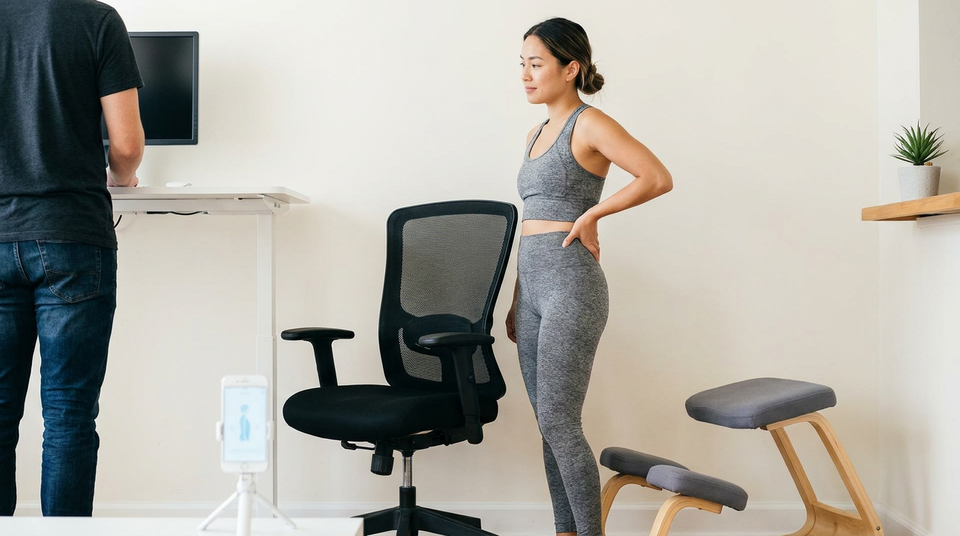
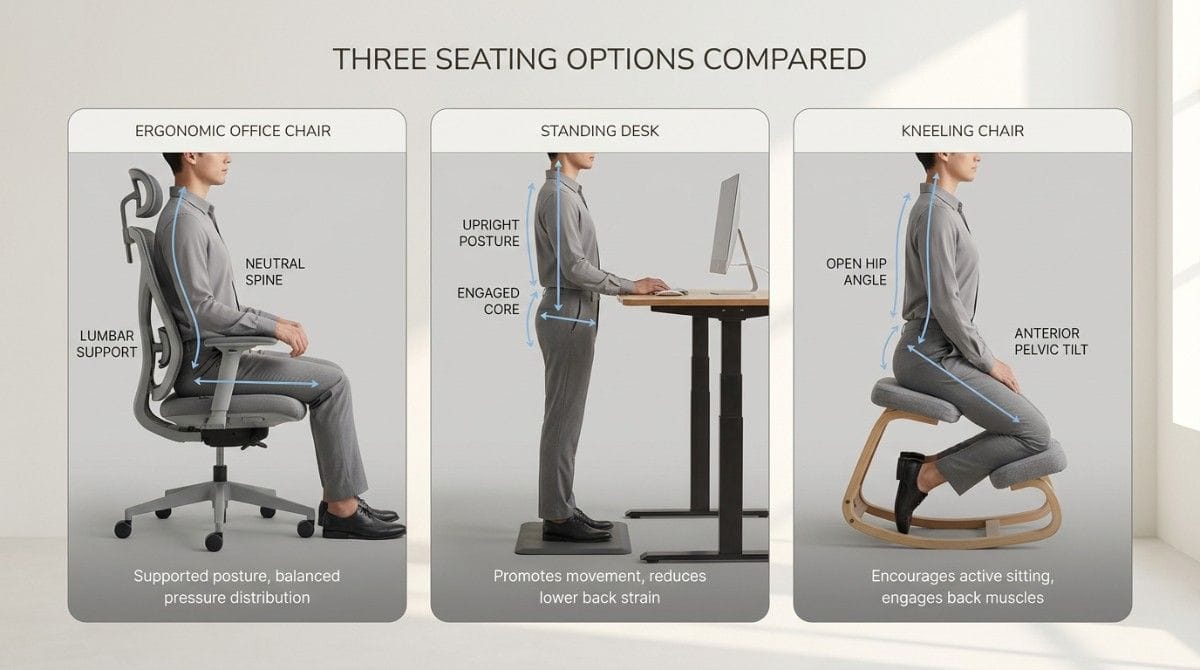
No single piece of furniture fixes lower back pain, but each one manages the load differently. A good ergonomic office chair supports a neutral spine for long focused work. A standing desk reduces disc pressure and breaks up sitting. A kneeling chair opens the hip angle and keeps the core active. The right choice depends on your pain pattern, your work style, and one honest truth: none of them replace movement.
Ergonomic seating refers to chairs and desks designed to support a neutral spine and reduce the mechanical load that prolonged sitting places on the lower back.
TL;DR
- No chair or desk "fixes" posture. They manage load, not the root cause.
- Office chair: best all-rounder for long focused work with proper lumbar support.
- Standing desk: best for breaking up sitting and lowering disc pressure.
- Kneeling chair: best for short, active bouts, not all-day use.
- The strongest setup usually rotates between options.
- Equipment plus movement and exercise beats any single piece alone.
What Should You Look for in Back-Friendly Furniture?
Before comparing options, know what actually matters. Good seating supports three things:
- Neutral spine. It preserves the natural inward curve of your lower back.
- Open hip angle. Hips slightly above knees reduce hip flexor strain.
- Movement freedom. It allows position changes rather than locking you in.
The goal is not to find one perfect chair. It is to reduce sustained load while you build the strength that actually protects your spine. The full seated mechanism is explained in our guide on lower back pain from sitting.
Office Chair: Pros, Cons, and Who It's For
A quality ergonomic office chair remains the most practical all-day option.
Pros:
- Adjustable lumbar support maintains the natural lower-back curve.
- Comfortable for long focused work sessions.
- Armrests offload the shoulders and neck.
Cons:
- Still keeps you seated, with all the downsides of prolonged sitting.
- Cheap "ergonomic" chairs often lack real lumbar adjustment.
- Encourages staying put for too long.
Best for: People who do deep focused work for long stretches and need reliable, adjustable support.
Standing Desk: Pros, Cons, and Who It's For
A standing desk is less a chair replacement and more a way to break the seated pattern.
Pros:
- Reduces lumbar disc pressure compared to sitting.
- Keeps glutes and core lightly engaged.
- Encourages natural position changes.
Cons:
- Standing all day creates its own problems, like leg and lower-back fatigue.
- Requires an anti-fatigue mat and good standing posture.
- Not ideal for tasks needing fine stillness.
Best for: People whose pain eases when they stand, and anyone wanting to break up long sitting. The trade-offs between the two positions are covered in our comparison of sitting vs standing for lower back pain.
Kneeling Chair: Pros, Cons, and Who It's For
A kneeling chair tilts the pelvis forward and shifts some load to the shins.
Pros:
- Opens the hip angle and reduces hip flexor shortening.
- Promotes an upright, active sitting posture.
- Engages the core more than a standard chair.
Cons:
- Uncomfortable for full days, especially at first.
- Puts pressure on the shins and knees.
- Lacks back support for rest periods.
Best for: Active sitters who want short, posture-focused bouts, not all-day use.
💡 Key Insight: The "best" seating is rarely one product. It is rotation. Office chair for focus, standing desk for breaks, kneeling chair for short active spells. Variety keeps any single structure from being overloaded.
Office Chair vs Standing Desk vs Kneeling Chair (Side by Side)
| Factor | Office Chair | Standing Desk | Kneeling Chair |
|---|---|---|---|
| Lumbar support | High (if adjustable) | None (you self-support) | Low |
| Disc pressure | Moderate to high | Low | Moderate |
| Hip flexor strain | High | Low | Low |
| Core engagement | Low | Moderate | High |
| All-day comfort | High | Moderate | Low |
| Best use | Long focus work | Breaking up sitting | Short active bouts |
| Risk if overused | Sitting decline | Leg/back fatigue | Knee/shin pressure |
The table makes the trade-offs clear. No column wins outright. Each suits a different need.
Which One Is Right for Your Lower Back?
Match the tool to your pain pattern.
- Pain worse when sitting? A standing desk or kneeling chair gives relief by reducing disc load and hip flexion.
- Pain worse when standing? A supportive office chair lets you offload the posterior chain during flare-ups.
- Pain in both? Rotation is your answer. No single piece will solve a pattern this established.
- Long focused work? Office chair as your base, with standing breaks layered in.
If your pain keeps returning regardless of furniture, the issue is usually muscular, not your chair. That cycle is explained in our breakdown of lower back pain for desk workers.
⚡ Mid-article check-in: If you have already spent money on ergonomic furniture and your back still hurts, the missing piece is almost always corrective exercise targeting your specific imbalance. An AI posture scan can show you exactly what your furniture cannot fix. That is what Backed AI was built for.
Why No Chair Alone Will Fix Your Back Pain
This is the honest part most product guides skip.
Furniture manages load. It does not rebuild the muscles that prolonged sitting weakens. A perfect chair still leaves your glutes inhibited, your hip flexors tight, and your core under-trained.
This is the same reason equipment alone underperforms structured correction, as detailed in our comparison of AI posture apps, physiotherapy, and generic exercises.
The reliable formula is simple: good setup, plus frequent movement, plus targeted exercise. Drop any one and results stall.
How To Build a Back-Friendly Setup (Step-by-Step)
| Phase | Action | Why |
|---|---|---|
| Phase 1 | Get a supportive base chair with real lumbar adjustment | Protects neutral spine during focus work |
| Phase 2 | Add a standing option (desk or converter) | Breaks up sitting, lowers disc pressure |
| Phase 3 | Set a 30-45 min position-change rhythm | Movement frequency beats any single position |
| Phase 4 | Add a daily corrective routine | Fixes the cause furniture cannot reach |
The setup handles the load. The routine handles the cause. Together they work. For keeping results long-term, the habit plan in our guide on stopping lower back pain from coming back builds directly on this.
Research & Expert Insight
Research in ergonomics is consistent on a few points.
Disc load: Standing reduces lumbar disc pressure relative to sitting, supporting the standing-desk benefit for sitting-driven pain.
Sit-stand desks: Trials show sit-stand desk users report less back discomfort, but the benefit comes from alternating positions, not standing alone.
Furniture is not enough: Studies repeatedly find ergonomic equipment helps most when paired with movement and exercise. Equipment in isolation produces modest results.
The pattern is clear. Furniture is a tool, not a treatment. It lowers load so your corrective work can do its job.
When This Approach Doesn't Work
Better furniture and rotation help most people. But seek medical evaluation if you experience:
- Pain radiating below the knee (possible sciatica or disc involvement)
- Numbness, tingling, or weakness in the legs
- Loss of bladder or bowel control (emergency)
- Pain unaffected by any seating change or movement
- Persistent night pain that disturbs sleep
- Pain following a fall, accident, or trauma
These signs may indicate a structural cause that needs imaging and specialist care, not a new chair.
Final Takeaway
Office chair, standing desk, or kneeling chair? The real answer is "it depends, and probably more than one." Each manages load in a different way. None of them fixes the underlying muscle imbalance that drives most sitting-related back pain.
Pick a supportive base, add a standing option, rotate often, and pair it all with corrective exercise. That combination works far better than chasing the one perfect chair.
The hardest part is the routine, not the furniture, and that is where personalization changes everything.
Why Most Ergonomic Upgrades Disappoint
People spend hundreds on chairs and desks, then wonder why their back still aches. Here is why:
- Furniture manages load, not cause. It cannot rebuild weak glutes or release tight hip flexors.
- No feedback. A chair cannot tell you your pelvis is still tilting forward.
- No progression. Equipment is static. Your body needs a changing stimulus.
- No personalization. The same desk sits under thousands of different bodies with different imbalances.
This is why two people with identical setups get completely different results. The chair is the same. The bodies, and the daily habits, are not.
Backed AI: The Piece Your Furniture Can't Replace
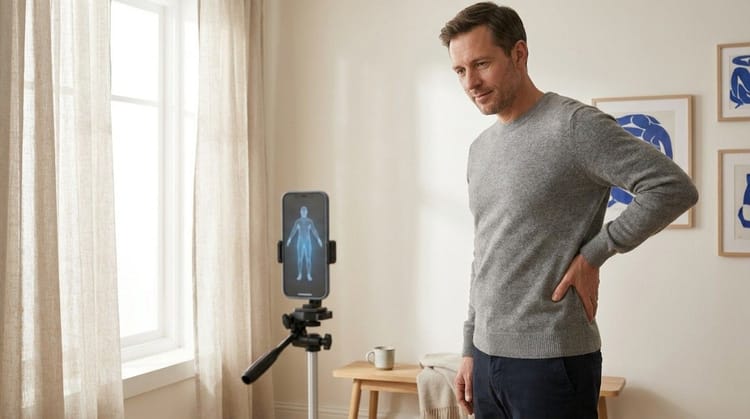
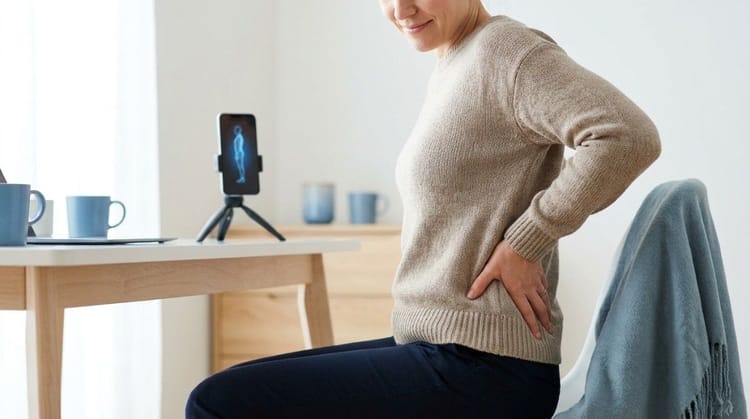
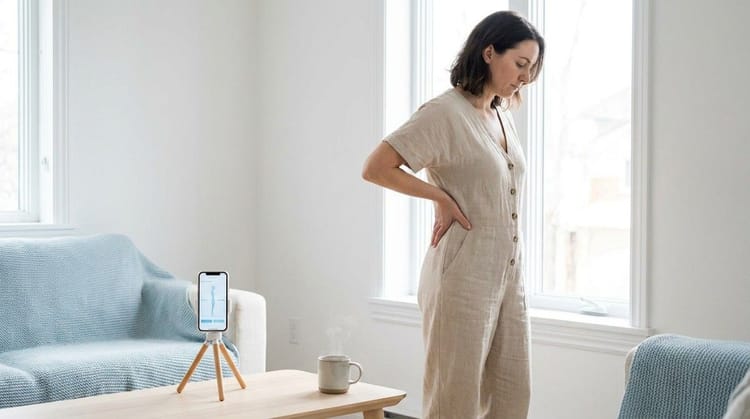
Backed AI is an AI posture correction app built to handle exactly what equipment cannot. It scans your posture from your phone camera, identifies your specific imbalance, and builds a daily routine that adapts as you progress.
What you get:
- 🎯 AI posture analysis that pinpoints the imbalance your chair will never fix, from pelvic tilt to hip flexor tightness.
- 📱 Personalized daily routines that strengthen and mobilize the exact muscles your setup leaves behind.
- 🔔 Smart movement reminders that turn "I should stand up" into an actual habit during your workday.
If you have already invested in ergonomic furniture, this is the missing half of the equation. The setup lowers the load. Backed AI fixes the cause.
Download Backed AI and start correcting your posture today.
FAQ
Q1: Is an office chair or standing desk better for lower back pain? Neither is universally better. A supportive office chair helps if pain worsens when standing. A standing desk helps if pain worsens when sitting. The best results come from alternating between both throughout the day.
Q2: Are kneeling chairs good for lower back pain? Kneeling chairs can help by opening the hip angle and encouraging upright posture. But they are best for short, active bouts. Most people find them uncomfortable for full days and they lack back support for rest periods.
Q3: Will an ergonomic chair fix my back pain? An ergonomic chair reduces load and supports a neutral spine, but it does not fix the underlying muscle imbalances behind most sitting-related pain. Furniture works best combined with movement breaks and corrective exercise.
Q4: Should I get a standing desk if I have lower back pain? A standing desk can help, especially if sitting triggers your pain. But standing all day creates its own strain. The benefit comes from alternating sitting and standing, not standing constantly.
Q5: What is the best seating setup for lower back pain? The strongest setup rotates: a supportive office chair as your base, a standing option for breaks, and a 30 to 45 minute position-change rhythm, paired with a daily corrective routine.